Compare before you stop
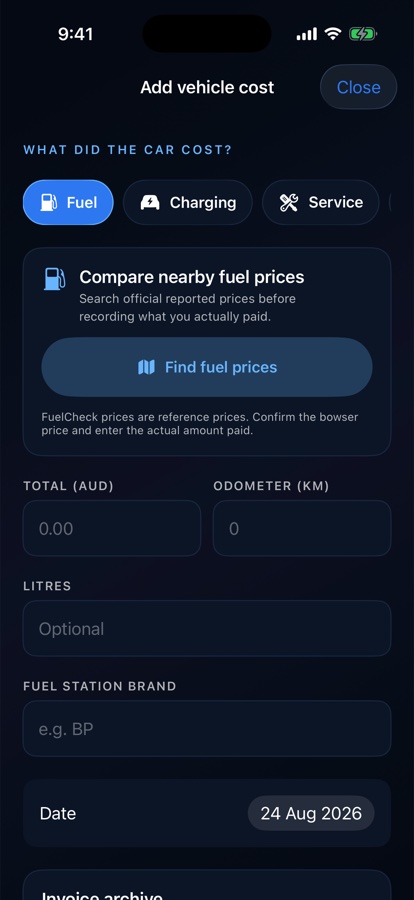
Inspect supported official reported fuel prices nearby and confirm the real bowser price before purchase.
 DRILORE
Fuel, charging & car wash
Convenience tools sit where the owner is already working, so a nearby result can help the immediate choice and then become useful vehicle context.
The practical purpose
Real earlier Drilore 1.1 simulator examples with no customer data. Newer beta layouts may differ.
Inspect supported official reported fuel prices nearby and confirm the real bowser price before purchase.
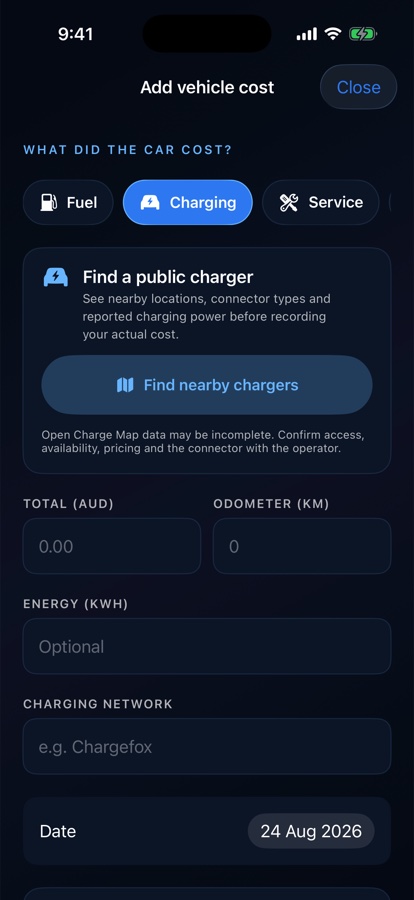
See locations, connectors and reported power while retaining provider and freshness limitations.
Carry the selected place into the expense, then save the amount and energy or fuel actually purchased.
One short workflow
Evidence and limits
The private beta uses FuelCheck for NSW/Tasmania, Open Charge Map, Open-Meteo and device maps (Apple Maps on iPhone). Charger listings are not live bay availability.
See the online sources and data flows →Use it with confidence