Choose your interface
Australian English, Simplified and Traditional Chinese, Japanese, Korean, Spanish, French and German are available, plus following the system language and five themes.
 DRILORE
Sharing & personalisation
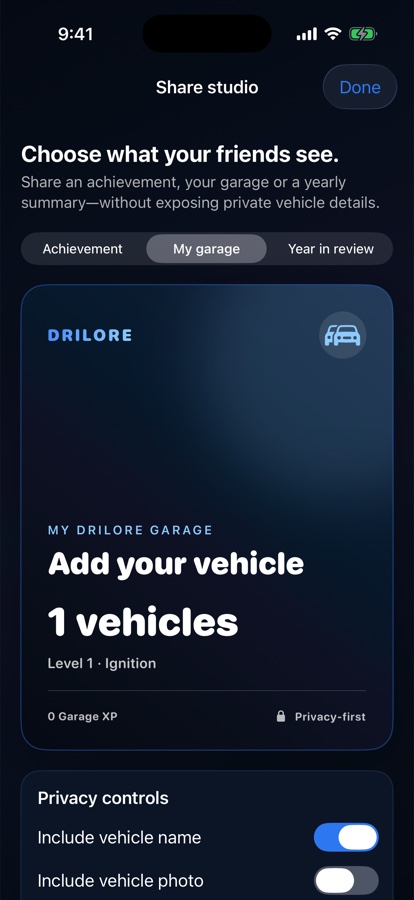
Keep a complete private Garage while creating a smaller summary for someone else. Language, theme and privacy choices belong to the owner.
The practical purpose
Real earlier Drilore 1.1 simulator examples with no customer data. Newer beta layouts may differ.
Australian English, Simplified and Traditional Chinese, Japanese, Korean, Spanish, French and German are available, plus following the system language and five themes.
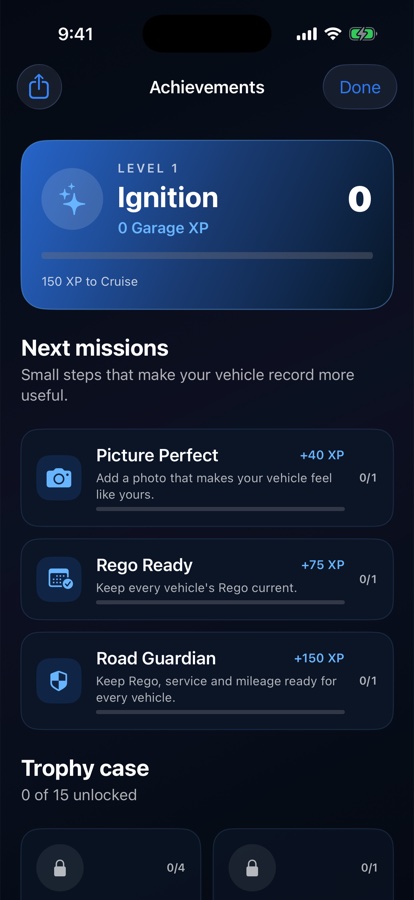
Care achievements and Garage XP recognise useful records and maintenance habits. They are not speed, distance or public leaderboard challenges.
Choose Garage, annual or trophy summaries and decide whether vehicle names, photos and exact spending belong in the result.
One short workflow
Evidence and limits
Generated summaries omit VIN and plate fields, but an included vehicle photo can still reveal a number plate, location or person. Preview the actual result.
Read the sharing and language guide →Use it with confidence